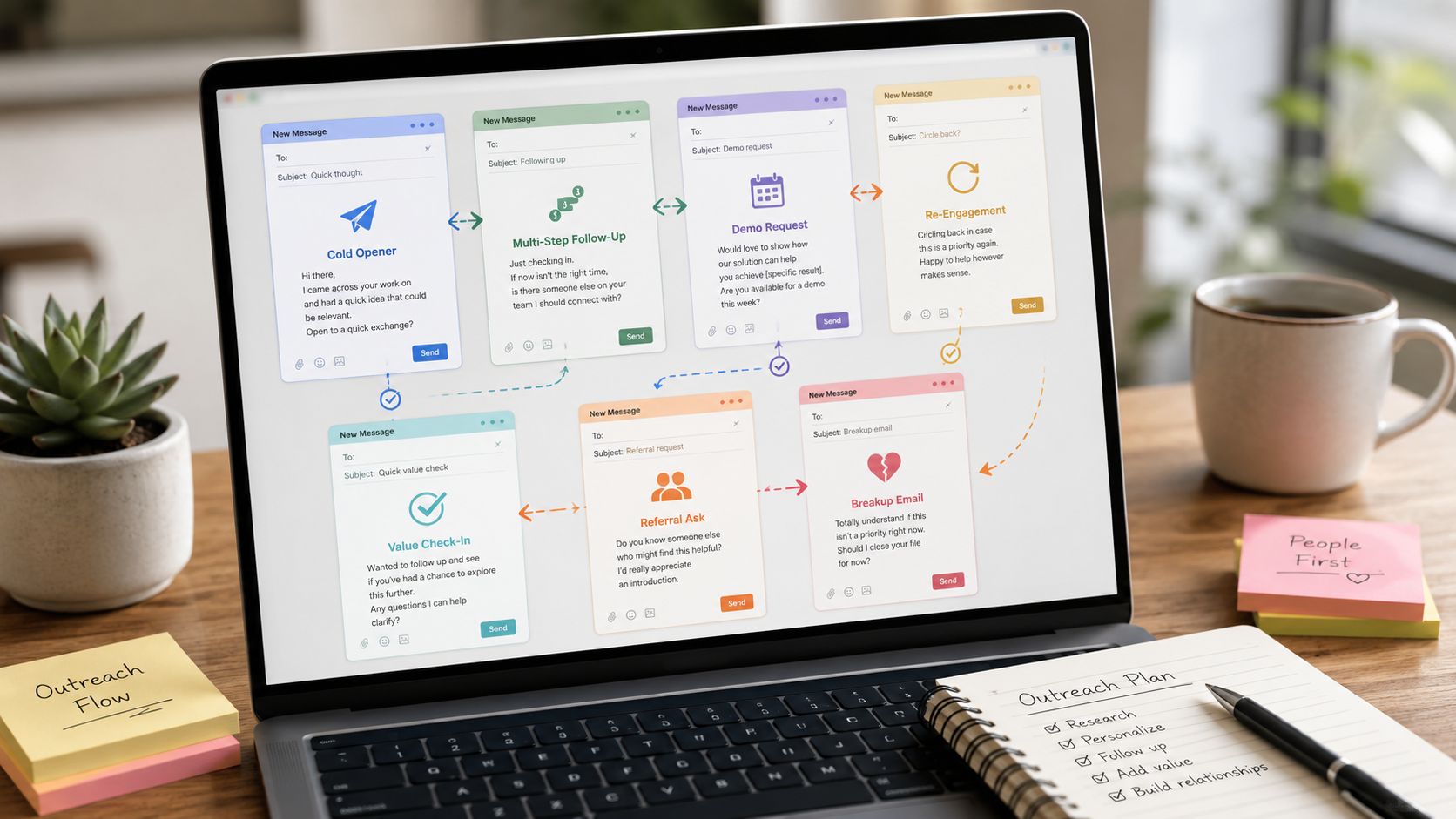
Monday morning. A founder opens the campaign report, sees a miserable reply count, and blames the market, the list, or the rep. Usually the problem is simpler. The email sounded like a template wearing a fake mustache.
Bad outreach has a pattern. It rambles. It tries too hard to sound clever. It asks for too much, too soon. And it reeks of copy-and-paste. Buyers delete that stuff in seconds.
Good templates are shorter, sharper, and easier to adapt. Outreach teams tracked by Woodpecker reported average cold email response rates in the single digits, while stronger campaigns performed meaningfully better when the message matched the prospect and the ask stayed tight. You do not need literary genius. You need relevance, timing, and enough restraint to stop writing a brochure in someone's inbox.
If your team still sends bloated paragraphs, start with the basics from writing effective cold emails. Then fix the bigger issue. Stop treating template libraries like swipe files from the heavens. Judge them like an operator. Which ones give reps usable structure? Which ones teach sequencing instead of one-off vanity emails? Which ones help your team sound human after personalization, not before?
That same discipline applies to the rest of outbound. Better copy helps, but process decides whether reps produce consistently. If you're serious about optimizing sales for startup growth, use templates as starting points, not life support.
These seven tools made the cut for one reason. They give you material worth stealing, then adapting, without turning your reps into robots.
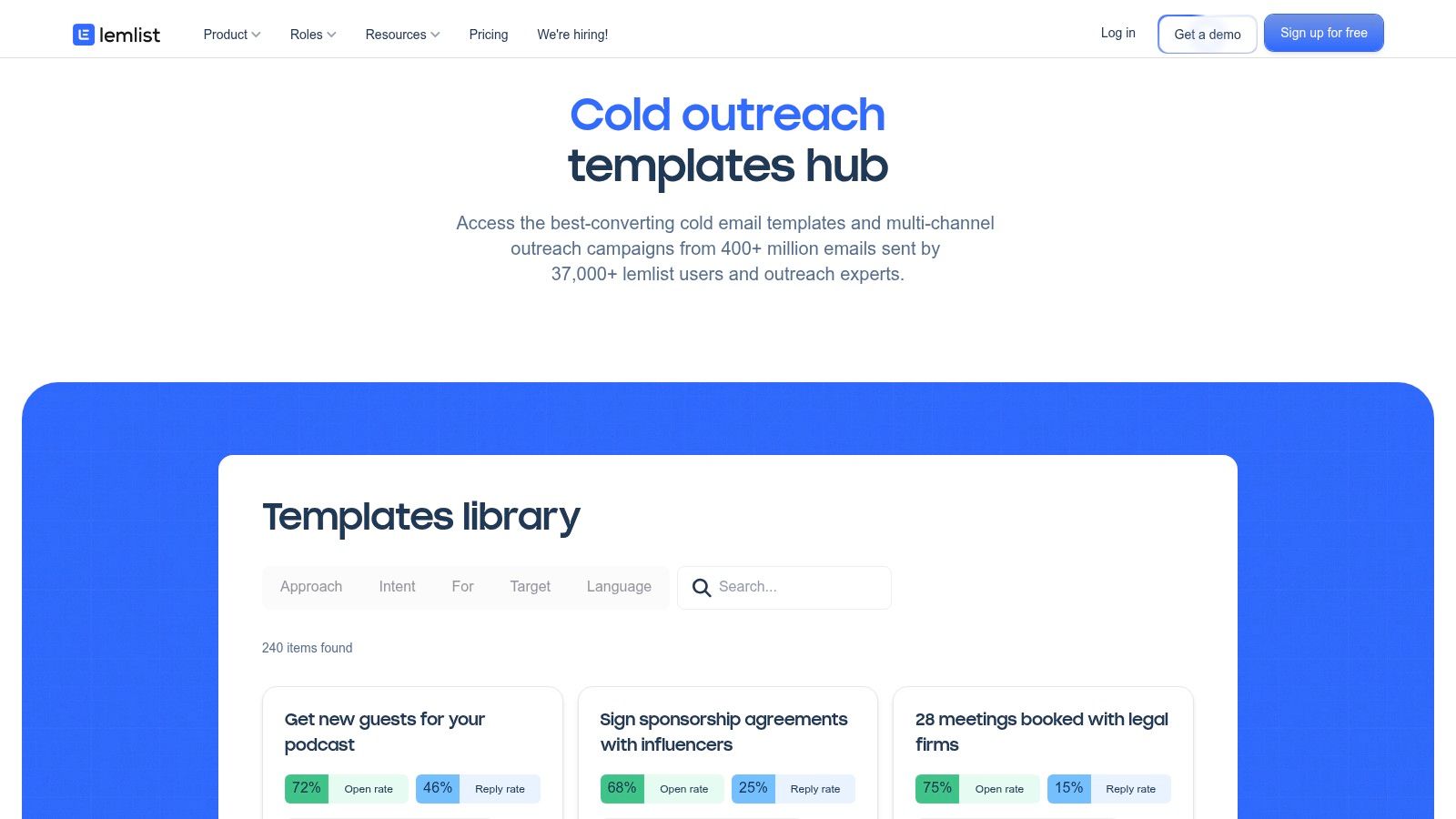
Your rep has 20 minutes before the next call block, a blank composer open, and a quota that does not care about writer's block. That is where lemlist earns its keep.
lemlist has one of the few public template libraries I would hand to an SDR team. Not because every template is brilliant. Plenty are average. But the good ones give reps something better than clever wording. They give them structure they can adapt fast without sounding like they copied a LinkedIn guru at midnight.
Value is sequence thinking. lemlist pushes reps past the fantasy that one polished email will save the quarter. Its better templates are built around follow-ups, channel mix, and timing. That matters more than a cute opener ever will.
It is also useful for founders building outbound from scratch and still sorting out the difference between inbound and outbound sales. lemlist makes outbound feel like a repeatable system instead of a daily improvisation exercise.
Practical rule: Use lemlist for sequence logic first, copy second.
I also like that the library covers the unglamorous stuff. Prospecting. Breakup emails. Re-engagement. Post no-response nudges. That is how real pipelines get worked. A template source that only shows first-touch emails is a toy, not a playbook.
The best lemlist templates stay short, specific, and easy to reply to. Campaign Monitor has reported that emails around 50 to 125 words often perform well because they are easier to scan and answer. That fits lemlist's strongest examples, which usually get in, make one point, and ask for one small next step.
Do not copy the personalization gimmicks blindly. Custom images and flashy variables can still feel forced if the underlying message is weak. Start with a clean structure, then add personalization that proves you did your homework.
Use lemlist if your team wants:
Skip it if you only need a basic inbox snippet tool. lemlist makes more sense for teams running outbound as an actual process with follow-up discipline attached.
For the product itself, go straight to lemlist cold email templates.
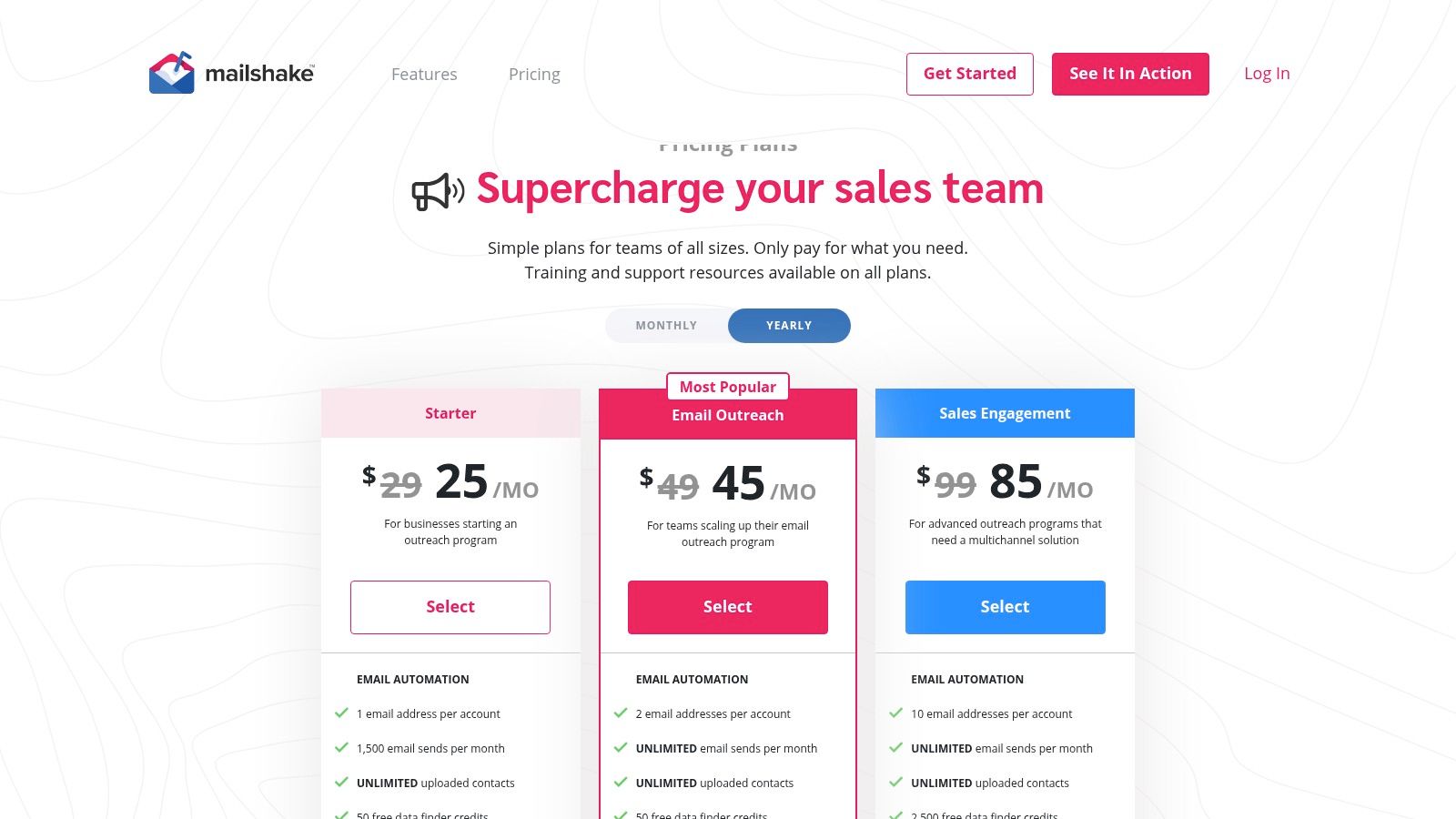
A founder hires the first rep, buys three tools, imports a template pack, and suddenly outbound feels heavier than selling. Mailshake fixes that mess. It keeps the machine simple enough that a small team can readily use it, while still giving you the pieces that matter: sequences, testing, send controls, and template management that does not require a certification course.
That is why Mailshake's template library is useful. Not because the copy is magical. Because the product makes it easy to test plainspoken outreach fast, see what gets replies, and cut the dead weight.
Mailshake is a strong pick for teams still building outbound discipline. If you're still sorting out the difference between inbound and outbound sales, this tool helps turn outbound from random acts of emailing into a repeatable process.
I also like its restraint. Some template sources drown you in clever hooks and "proven scripts" that read like they were written by people who have never had to book meetings under pressure. Mailshake stays closer to what reps need in the wild: clean templates, fast edits, easy testing, and enough sending control to avoid stupid mistakes.
Bad outreach rarely fails because the template lacked a genius line. It fails because the team never turned decent copy into a repeatable system.
The tradeoff is obvious. No free trial. Plan tiers gate features harder than they should. You pay first, then figure out whether you bought enough functionality. Annoying, yes. Still manageable if your priority is speed and simplicity over a giant feature catalog.
Use Mailshake's templates as starting structure, not finished copy. The best ones are short, direct, and built for one action. Keep that. Then rewrite the details so the email sounds like it came from a person who knows the account, not a rep hiding behind merge fields.
Subject lines are a good example. Mailshake is handy for testing wording because tiny changes can shift opens and replies. Invitation-style phrasing, time-sensitive wording, and curiosity-driven language often outperform bland subject lines. The lesson is not "jam urgency into everything." The lesson is to test clear intent instead of defaulting to vague filler.
Mailshake fits small sales teams, founder-led outbound, and agencies that need reps live quickly without turning setup into a side job.
Use Mailshake when:
If you want to review the plans, go straight to Mailshake pricing.
A rep opens a contact record, sees the last deal note, the recent site visit, and the email template in the same screen. That rep sends a better email than the one digging through a Google Doc called "Final Cold Email Template v12."
That is HubSpot's edge.
From a founder's perspective, HubSpot is not the place to hunt for flashy copy. It is the place to keep good copy attached to real account context so reps can adapt it fast and send it without breaking their rhythm. That matters more than another giant template library full of chest-thumping subject lines and fake personalization.
HubSpot works best for teams that already run sales inside the CRM and want templates to behave like part of the workflow, not a side project. The library itself is fine. Its core value is what sits around it. Contact history, company data, tasks, meeting links, snippets, and tracking all sit close to the draft.
That setup fixes a common outbound problem. Reps do not need more templates. They need fewer, better ones, stored where they work.
Paid tiers add the reporting, automation, and controls managers usually want. Yes, HubSpot gets pricier as the team grows. That is the deal. If your sales motion already lives there, forcing a separate template tool into the stack usually creates more mess than value.
If you are still building the outbound team itself, not just the tool stack, this is also the right moment to Hire SDRs.
HubSpot's best template examples are practical. Short opener. Clear reason for contact. One ask. Easy to personalize. That sounds obvious, but a lot of template libraries fail right there because they optimize for sounding clever instead of getting replies.
That matters even more on mobile. Litmus reports that mobile clients account for a large share of email opens, which is exactly why bloated paragraphs and multi-CTA messes die fast on screen size alone. HubSpot's built-in template editor makes it easier to keep reps disciplined. Short body copy. Scannable formatting. One action.
This is the founder test I use: can a new rep take the template, swap in one account-specific detail, and send something that sounds human in under two minutes? HubSpot usually passes.
HubSpot Sales Hub fits teams that care more about operational consistency than having the internet's biggest swipe file.
Use HubSpot if:
The direct product page is HubSpot Sales email templates.
Your rep finds a prospect in Apollo, opens the account record, spots a hiring spike, drops that signal into a sequence, and sends the email without bouncing between five tabs. That is Apollo's real advantage. The template library matters, but the bigger win is speed with context.
Apollo's public template hub is useful. Its in-product workflow is more useful. Founders should care about that difference. A giant swipe file looks nice in a blog post. A rep-friendly setup that keeps lead data, sequencing, and templates in one place gets emails sent.
Apollo works best for teams that want one system for list building and outreach. It cuts the usual mess of copying notes from one tool, pasting them into another, then pretending that counts as personalization.
If you're building the outbound function from scratch, this is also the point where you should Hire SDRs, not just buy a platform and pray an AE will do cold outbound between demos.
The tradeoff is obvious. Apollo can get messy as your team grows, especially once credits, usage limits, and process sprawl start piling up. If you want an all-in-one, you accept that tax. If you hate platform sprawl inside a single platform, you'll feel it fast.
Apollo templates are good when reps use account signals instead of lazy mail merge filler. That is the whole game.
Lavender's cold email analysis found that emails with personalization based on a prospect's recent activity outperformed generic personalization, which lines up with what experienced outbound teams already know from painful trial and error. Referencing a hiring push, new executive, product launch, or expansion move gives the email a reason to exist. Referencing a first name does not. You can review their breakdown here: Lavender cold email personalization data.
That is why Apollo belongs in this list. It is not the source with the prettiest templates. It is one of the few places where the template and the research sit close enough together that reps might use both.
Use Apollo well, and the playbook is simple:
If your team values speed, built-in data, and templates that can be adapted without sounding like a robot, Apollo is a strong option. The direct product page is Apollo templates.
Your team starts with one decent cold email. Three months later, ten reps have "improved" it into ten different versions, half of them rambling, two of them weirdly aggressive, and one somehow still using last quarter's offer. That is the mess Reply.io is built to stop.
From a founder's perspective, this is why Reply.io deserves a spot in a templates guide. It does not just hand you sample copy and wish you luck. It gives managers a way to control what gets sent, see what is working, and keep the team from freelancing the message into the ground.
Reply.io is strongest for teams that need shared templates, sequence libraries, approvals, and reporting in one place. That combination matters once outbound stops being a solo sport and starts becoming an operating system.
A significant win is adaptation without chaos. Reply.io itself pushes users to tailor messaging by industry, persona, and pain point rather than blast one generic script to everyone. You can see that approach in its own template library and personalization guidance: Reply.io sales email templates.
That matches reality. A CFO does not read outreach like a RevOps lead. A VP Sales does not care about the same angle as a Head of Demand Gen. If your template ignores that, the problem is not the tool. The problem is lazy messaging.
Send one "universal" cold email to every persona if you want consistency in the worst possible metric. Replies.
Reply.io is a good pick when you want to roll out messaging in a controlled way, test variants inside sequences, and give newer reps guardrails before they write something painful. That is the founder lens on templates. Good template sources are not giant swipe files. They are systems that help your team send the right message, to the right role, with fewer self-inflicted mistakes.
What I like:
The tradeoff is obvious. If all you need is a quick insert-and-send template tool, Reply.io can feel heavier than necessary. If you are running a real outbound team and want standards that hold, that extra structure is the point.
If your sales motion is growing faster than your message discipline, Reply.io pricing is the page to review.
You have 20 high-fit accounts, a decent angle, and no patience for another sales platform that treats a simple email like a NASA launch sequence. That is the Yesware use case.
Yesware keeps templates inside Gmail and Outlook, which is exactly where a lot of good reps should stay. If your team already knows how to write, research, and personalize, this setup is a strength. You open the inbox, drop in a template, tailor the message, and send it while the context is still fresh. No tab circus. No bloated workflow builder pretending to help.
Yesware is best for targeted outreach in small batches. The kind where a rep writes 15 to 40 emails that are similar in structure but clearly adapted to the company, role, or trigger.
That matters because personalization works better when it is done by an actual human. Woodpecker's analysis of cold email campaigns makes the same point in plain English. Relevance beats fake personalization tokens. Yesware fits that approach because it does not push you toward fully automated sludge. It keeps the rep close to the message.
This is the founder test I use for template tools. Do they help your team sound sharper, or do they help your team send more forgettable email? Yesware passes if your sales motion depends on judgment, not volume.
Yesware is not the tool for heavy multichannel sequencing or complex outbound operations. If you need branching logic, channel switching, and large-scale automation, buy something built for that job.
If you need clean, fast, thoughtful outreach from people who sell well from their inbox, Yesware makes a lot more sense than the bigger platforms people buy to impress themselves.
For the product page, see Yesware email templates.
Saleshandy is the scrappy option. Lower-cost, practical, and surprisingly useful when you need a starting point without buying the whole sales-tech circus. Its Playbooks section is where it gets interesting. You get cold email examples, follow-ups, and guidance that smaller teams can put to work fast.
If you're budget-conscious, this one deserves a hard look. Not because it's magical. Because it does enough without trying to become your religion.
Saleshandy understands the basics. Sequences, verification, deliverability tooling, and public playbooks are exactly what early-stage teams usually need. You can get up and running without hiring a consultant to interpret your own software bill.
One detail matters a lot here. Cold emails that exclude attachments or graphic materials increase response rates by 2X. Saleshandy's strongest playbooks tend to keep messages lean and plain-text friendly, which is the right instinct.
Plain text wins more often than the beautifully designed email your designer begged you to send.
Saleshandy is best for email-first outreach. If your process relies heavily on LinkedIn automation or built-in call steps at scale, you'll outgrow it. But if you need affordable email outreach templates and the infrastructure around them, it does the job.
Here's the founder verdict:
Check out the playbook library at Saleshandy playbooks.
| Product | Implementation complexity | Resource requirements | Expected outcomes | Ideal use cases | Key advantages |
|---|---|---|---|---|---|
| lemlist | Medium, ready templates shorten setup; multichannel config required | Moderate, paid tiers for full template/library access; scales with team size | Faster time-to-first-campaign; improved multichannel sequence performance | SDR teams wanting turnkey copy, visuals, and full sequences | Data-backed template library, AI personalization, multichannel sequences |
| Mailshake | Low, straightforward sequencer and UI | Low–Moderate, paid plans required; tiered feature access | Quick launch of campaigns; improved deliverability and iterative gains via A/B tests | Lean teams needing a simple sequencer and deliverability tools | Simple packaging, AI writer, deliverability tooling, A/B testing |
| HubSpot Sales Hub | Low–Medium, minimal if HubSpot already used; extensions add setup | Variable, free to high tiers; larger libraries and reporting need paid plans | Embedded tracking and CRM-driven personalization; scalable reporting | Teams already on HubSpot wanting inbox-native, tracked templates | Deep CRM integration, inbox access (Gmail/Outlook), template reporting |
| Apollo.io | Medium, combines data, sequences and templates; integration work advised | Moderate, free templates but platform pricing/credits can be complex | Unified data + outreach for faster SDR activation and targeting | Teams using Apollo for prospect data and outreach in one stack | Combines prospect data with templates, API support, multichannel steps |
| Reply.io | Medium–High, governance, approvals and API rollout can add complexity | Moderate–High, paid plans for advanced automation and scale | Standardized messaging at scale, programmatic template management | Teams needing template governance and RevOps programmatic control | API-driven template management, playbooks, automation and reporting |
| Yesware | Low, inbox-native, minimal setup for reps | Low–Moderate, integrates with Gmail/Outlook; advanced features require paid plans | Fast 1:1 prospecting with standardized messaging and basic analytics | Reps doing 1:1 outreach from inbox; small sales teams | Very low friction, inbox integration, CRM sync and usage reporting |
| Saleshandy | Low, budget-friendly, email-focused setup | Low, cost-effective plans; some features/credits tiered | Cost-efficient cold email campaigns with playbook guidance | Cost-sensitive small teams focused on email-only outreach | Affordable pricing, playbooks, verification and deliverability tools |
A founder hires a new SDR, buys a shiny outreach tool, imports a template pack, and expects meetings to appear by Friday. Then the campaign goes out, replies are thin, and everyone blames the copy.
Wrong diagnosis.
The template was never the closer. It was the starting line. The rep still has to spot the angle, choose the right pain point, and write like a person who understands the account. A generic template cannot do that. It cannot tell whether a CFO cares about margin pressure while a RevOps lead cares about rep productivity. It cannot decide whether the right opener is a hiring spike, a pricing change, or a messy tech stack.
That is also why founder advice on templates usually beats giant swipe files. The best sources in this guide are useful for different reasons, but none of them should be copied word for word. Lemlist is good for pattern recognition. Mailshake gives you practical campaign structure. HubSpot is strong if your team lives in CRM workflows. Apollo helps when targeting and sequencing sit in the same motion. Reply.io is better for teams that want control and governance. Yesware keeps things simple for reps sending from their inbox. Saleshandy is the budget pick when you need decent starting points without buying a bloated stack.
Use them as raw material, not gospel.
Good outreach has three traits. It is relevant to the account. It is easy to reply to. It sounds like one adult writing to another. The second your template reads like it was assembled by committee, performance drops. Prospects can smell recycled outreach in one screen swipe.
Infrastructure matters too. Strong copy sent from a sloppy setup still loses. SPF, DKIM, and DMARC are required. So is basic list hygiene, sane sending volume, and domains that are warmed properly. Ignore that, and your carefully written email gets buried before a prospect ever judges the message.
My recommendation is simple. Pick one template source that matches your sales motion. Strip each template down until only the useful bones remain. Add a real trigger, one clear point, and one CTA that does not ask for a marriage proposal in email one.
Then coach reps to think.
If you already have the templates and still cannot get consistent output, the bottleneck is talent. hireSDR.io is built for exactly this. They help founders and revenue leaders hire pre-vetted SDRs and BDRs in 24 to 48 hours, with global hiring, screening, payroll, and compliance handled for you. Templates help. Sharp reps build pipeline.

Your best Account Executive is doing detective work in Apollo, cleaning CSVs, and chasing no-shows instead of closing. Your pipeline has activity, sure, but the...

You finally hired that killer remote SDR in Bogotá, Nairobi, or Manila. They crushed the interview, your pipeline problem looks fixable, and for about six...

You're probably here because local hiring feels like a bad joke. You post for an SDR, get a pile of mediocre applicants, spend weeks interviewing,...

Tell us who you need. We'll have pre-vetted candidates in your inbox within 72 hours. No commitment until you hire.